
Compare LoadMaster to Application Delivery Controller (ADC) Alternatives
Discover how Progress® Kemp® LoadMaster® compares to other competitors and why it is the right choice for your application delivery needs.
Compare LoadMaster against competitors
Why choose Progress Kemp LoadMaster
Enterprise Performance Without Enterprise Complexity
LoadMaster delivers the performance, scalability, and reliability modern applications demand without the operational overhead of complex platforms.
Fast Deployment and Simple Operations
With an intuitive interface and ready-to-use deployment templates, LoadMaster helps teams go live faster and manage applications with ease.
Lower Total Cost, Predictable Value
LoadMaster includes essential performance and security capabilities as part of a straightforward licensing model.
Trusted Support, Highly Rated Customer Experience
Progress Kemp LoadMaster consistently receives higher ratings for quality of support and overall customer satisfaction
Trusted by Leading Brands With Over 100,000+ Deployments Worldwide
LoadMaster Rated #1 in Load Balancing
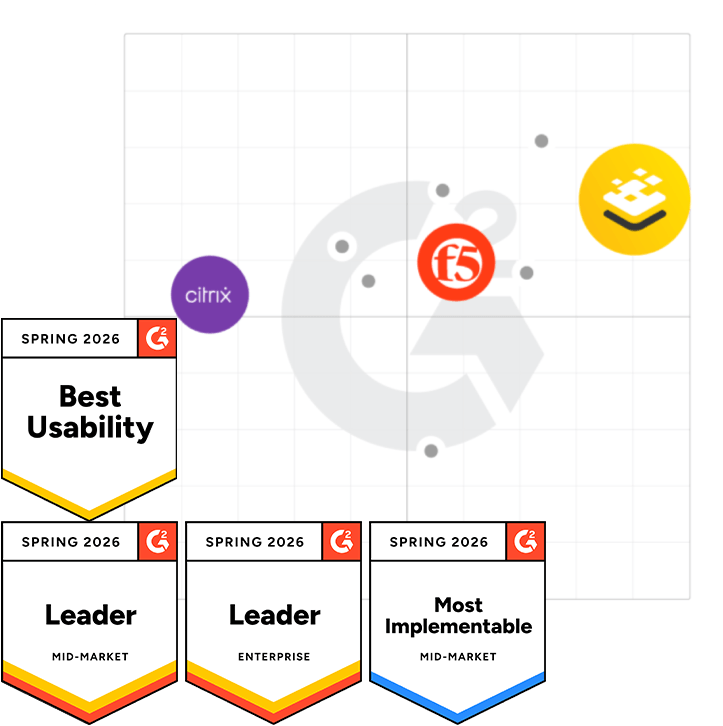
See why the LoadMaster platform received the highest satisfaction score from customers in the Load Balancing Product Category.
Get the reportHow to Compare Load Balancer Alternatives
Throughput Requirements and Scalability
Application and Platform Support
Security Capabilities
Manageability and Observability
Ease of Management
Total Cost of Ownership
Compare Load Balancer Alternatives
Migration Checklist for Switching Load Balancer
1. Assess & Prepare
- Inventory existing load‑balancing configurations (L4/L7 services, SSL/TLS, persistence, security policies).
- Identify application dependencies, peak traffic patterns, and compliance or security requirements.
- Define clear success criteria for performance, availability, and security post‑migration.
2. Plan for Low‑Risk Migration
- Use parallel deployment so the new load balancer runs alongside the existing one.
- Avoid “big‑bang” cutovers; plan phased or application‑by‑application migration.
- Ensure rollback paths are clearly documented and tested.
3. Validate Configuration & Behavior
- Replicate or translate existing policies and rulesets on the new platform where possible.
- Use mirrored or test traffic to confirm behavior without impacting users.
- Validate SSL/TLS handling, authentication flows, and persistence behavior under load.
4. Test with Real‑World Conditions
- Perform functional, performance, and failover testing using realistic traffic patterns.
- Confirm health checks, monitoring, and alerting behave as expected.
- Validate observability tools provide sufficient insight post‑migration.
5. Execute Controlled Cutover
- Gradually shift production traffic to the new load balancer.
- Closely monitor application health, latency, and error rates during cutover.
- Keep the legacy platform available until stability is fully confirmed.
6. Post‑Migration Optimization
- Tune policies, algorithms, and security settings based on real usage.
- Decommission legacy infrastructure only after a defined stabilization period.
Frequently Asked Questions
What’s the difference between an ADC and a load balancer?
A traditional load balancer focuses on distributing traffic for availability and performance. An Application Delivery Controller (ADC) goes further by combining load balancing with advanced capabilities like application layer traffic management, SSL/TLS offload, security controls, and deeper visibility into application health. In practice, modern ADCs are advanced load balancers designed for today’s complex and hybrid environments.
What features matter most when evaluating load balancer alternatives?
The most important factors are throughput and scalability, application and platform support, built-in security, ease of management, observability, and total cost of ownership. Solutions that are simple to deploy, flexible across on-prem and cloud, and-don’t require multiple add on products deliver faster time to value and lower operational overhead.
Do I need a WAF with my load balancer?
Although not required, it is highly recommended especially for internet-facing applications. A Web Application Firewall (WAF) at the load balancing layer helps protect against application-level attacks that traditional firewalls can’t stop. Integrating WAF with your load balancer simplifies architecture, improves performance, and supports a layered security approach without adding extra appliances.
How hard is it to migrate from F5 and NetScaler?
While migration is typically straightforward with modern ADC platforms, you will still need to manage risk to avoid any downtime. Many organizations move from F5 or NetScaler by recreating the core services with simpler configuration models and templates. The result is faster deployment, reduced risks, and lower ongoing costs.

